BlueprintPlotter · Available now for Mac
You made it.
Make a blueprint of it.
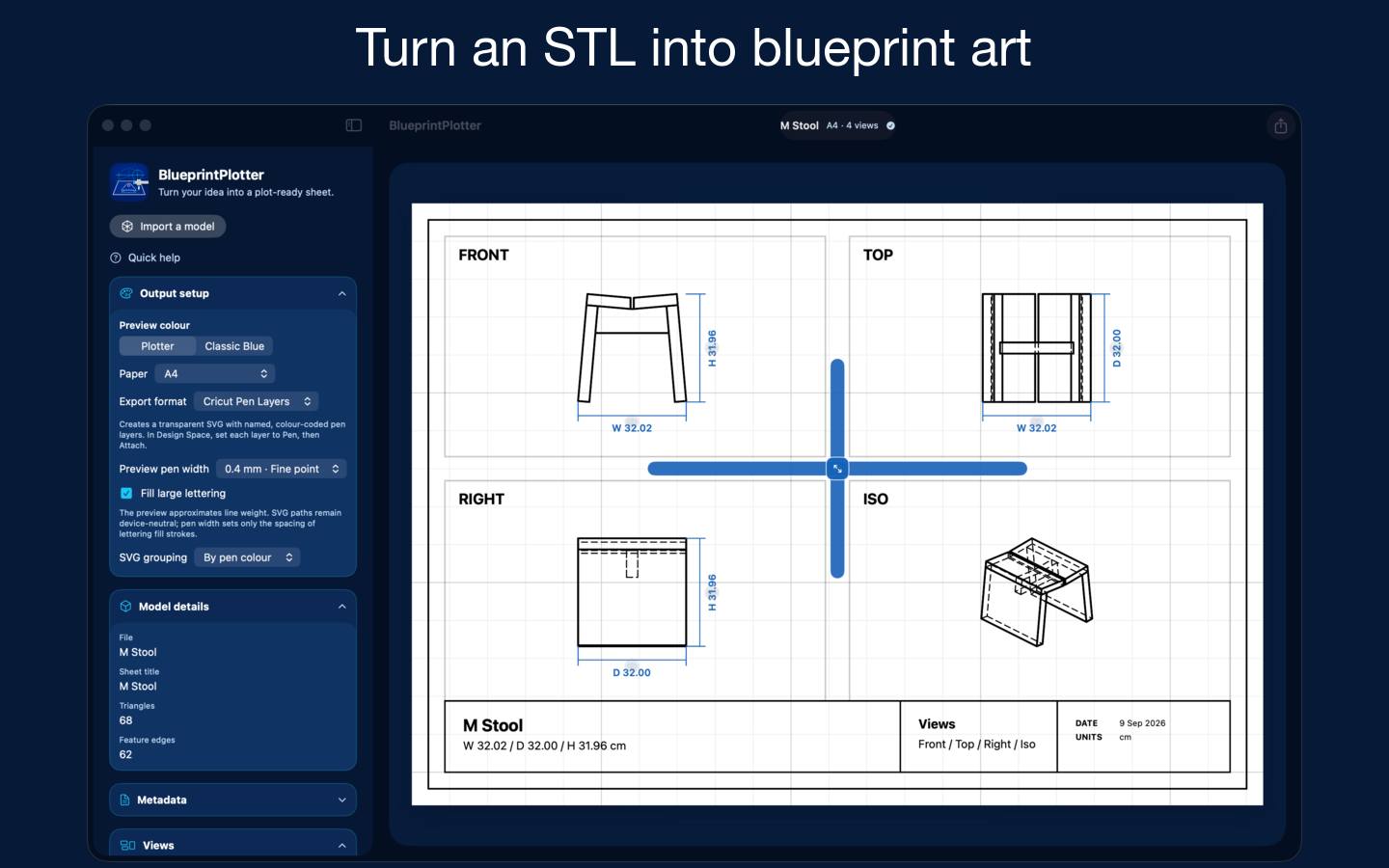
Turn your 3D designs into artwork worth keeping. Import an STL, arrange your views, and give your creation its own beautifully detailed sheet.
Try a one-view SVG export free. Unlock once for complete multi-view export. Local processing; no account required.
For the joy of making.
A keepsake for a clever print. A page for your design journal. A pen drawing of something you brought to life. BlueprintPlotter celebrates the design, without asking you to prepare a production drawing.
See every side
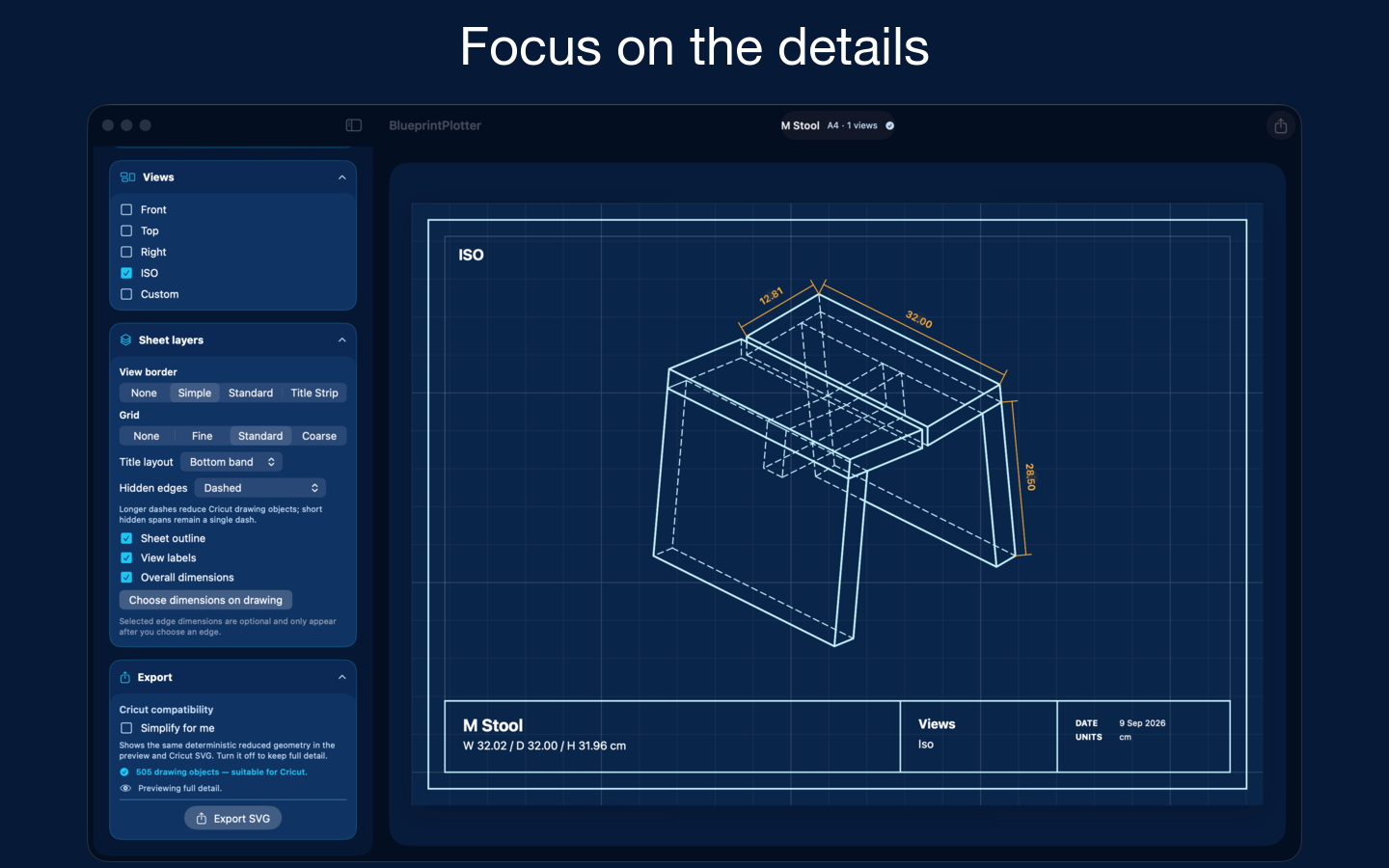
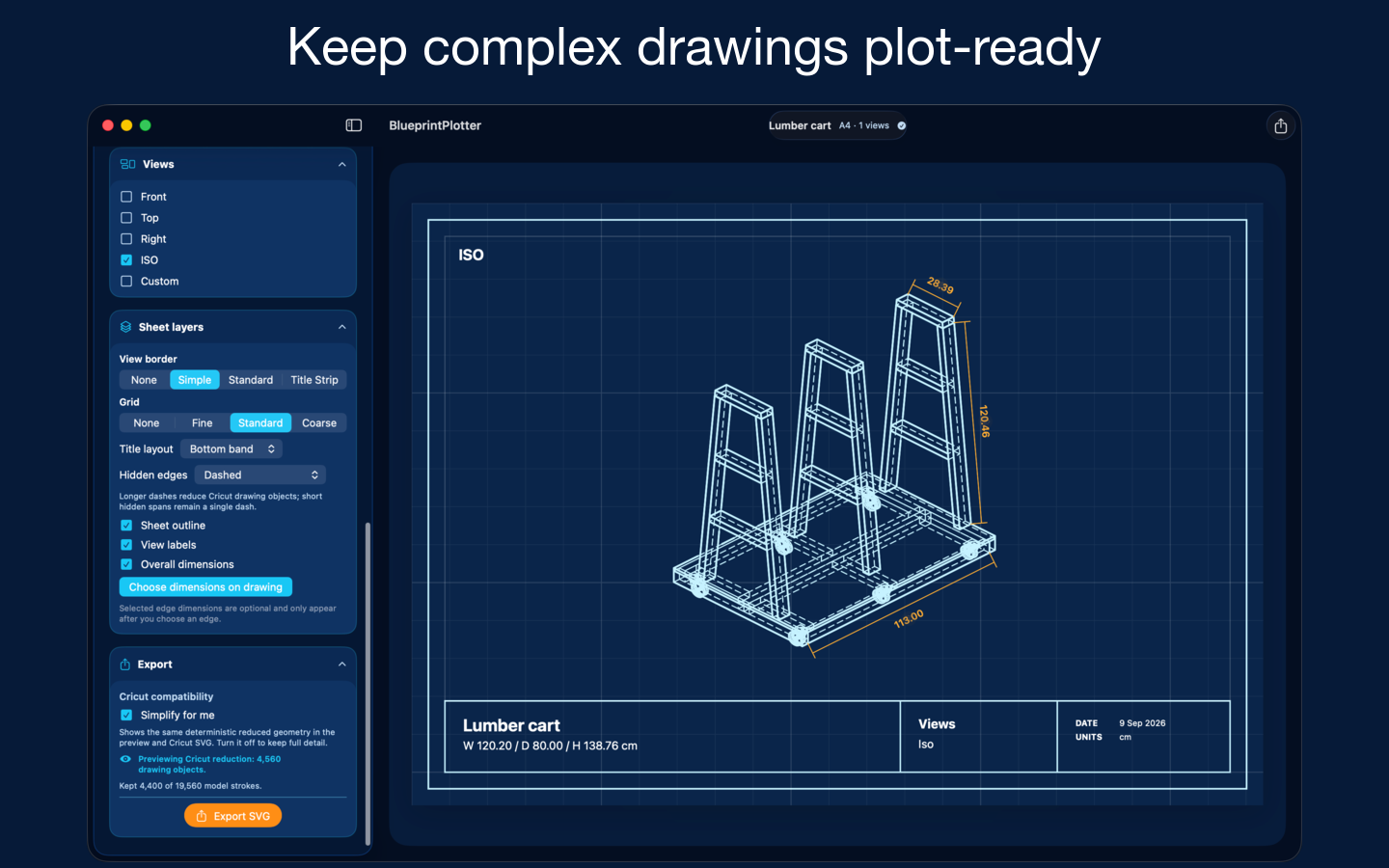
Arrange front, top, right and isometric views, or try a custom angle. Resize the panels to give your favourite view more room.
Make it yours
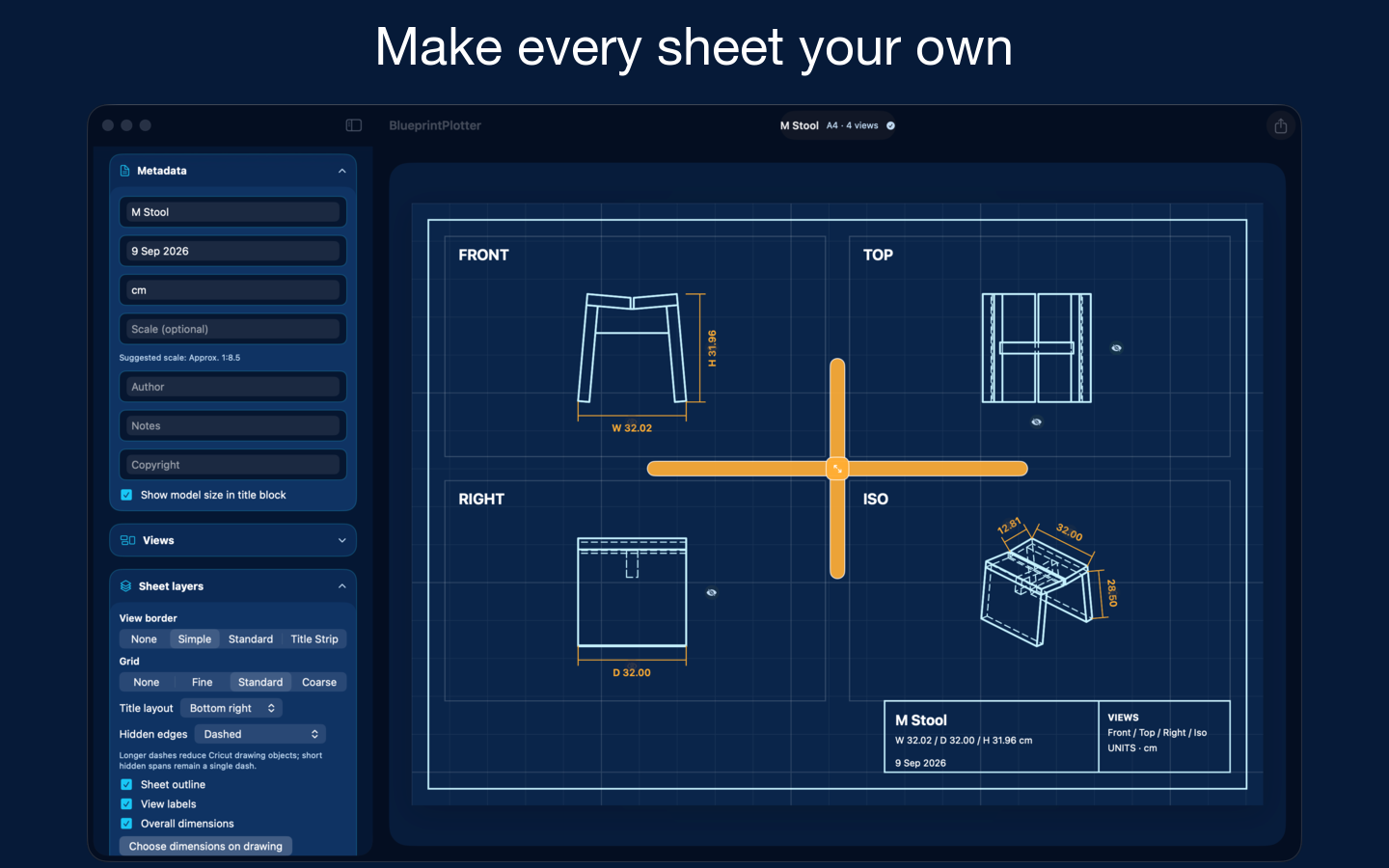
Choose grids, borders and colours. Add a title, date and design details, with a bottom band or compact corner title layout.
Put pen to paper
Export SVG drawing layers, select pen colours in your plotting software, and use optional fill strokes for larger lettering.
From model to drawing in three steps
- Bring your design. Import an ASCII or binary STL file.
- Compose your sheet. Choose views and styling, then review calculated dimensions and hidden edges.
- Export your artwork. Choose Preview Style for the visual sheet, or Cricut Pen Layers for a transparent plotting SVG.
A few things to know
BlueprintPlotter is available now on the Mac App Store, and requires macOS 14.6 or later. Try a one-view SVG export free. A one-time Export Unlock removes the small BlueprintPlotter credit and enables complete multi-view export; the App Store shows the price for your region.
It imports STL models; it is not a 3D modelling editor. Dimensions and hidden edges should be reviewed before export. The output is intended for creative artwork and visual documentation, not certified engineering or manufacturing plans.
For Cricut workflows, you assign the Pen operation and use Attach in Design Space. BlueprintPlotter does not control the machine directly. Hardware, pens and external software are not included.
BlueprintPlotter is an independent Blue Leaf Kobo app, not affiliated with or endorsed by Cricut.