Start with an honest expectation
A photo is a reference, not the finished formula.
Cameras, screens, lighting, sheen, and the materials in the repair can all change how a colour appears. The useful goal is not an automatic exact match. It is a sound starting point that you can test, read, and adjust on the real surface.
1. Take a clear photo of the surrounding finish
Choose an area that represents the finish you want the repair to blend into. Avoid glare, deep shadow, damaged material, hardware, or unrelated colours where possible. The more useful the reference photo, the more useful the starting point will be.
2. Sample the colour with the repair area in mind
In Touch-Up Mixer, set up the repair area and sample the surrounding finish rather than treating one pixel as the entire answer. This helps you focus on the colour you are trying to blend with and avoid visual distractions in the photo.
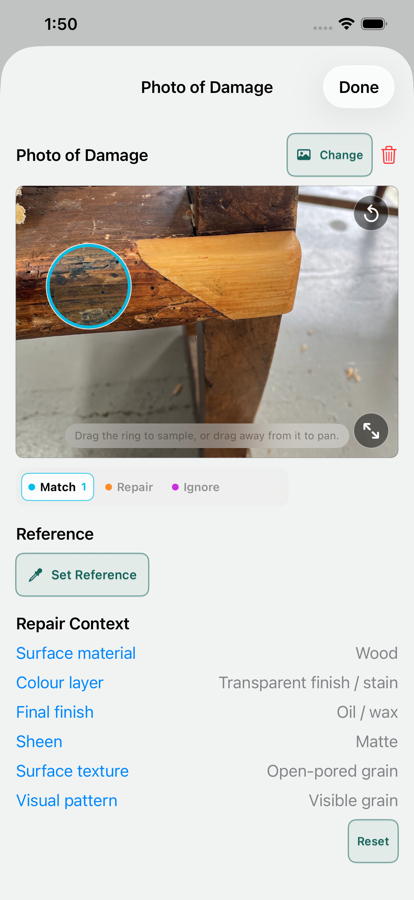
3. Work from the materials on your bench
Build a palette from the paints, stains, fillers, shellac tints, putties, waxes, pigments, or other repair media you actually use. That keeps suggested mixes relevant to the products on your bench, so you can move straight to a real test.
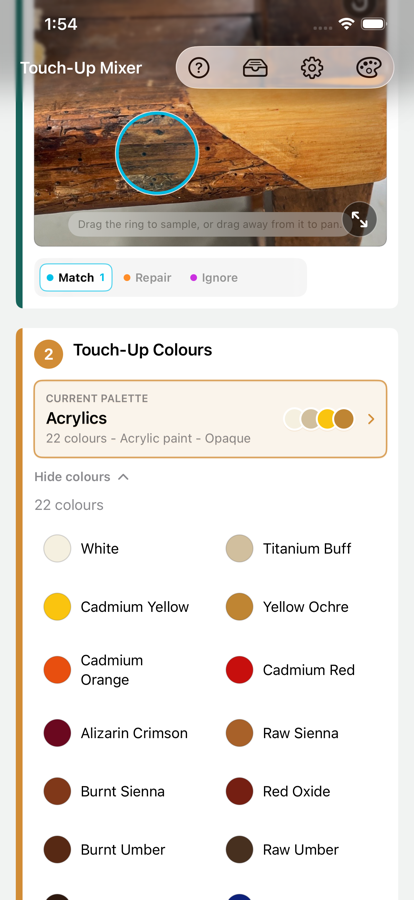
4. Treat the suggested mix as a practical starting point
Touch-Up Mixer can suggest starting mixes from your chosen palette and medium. Use the suggestion to decide what to test first, not as a promise of the final result. Check Mix can help you compare a test against the target and decide which direction to adjust.
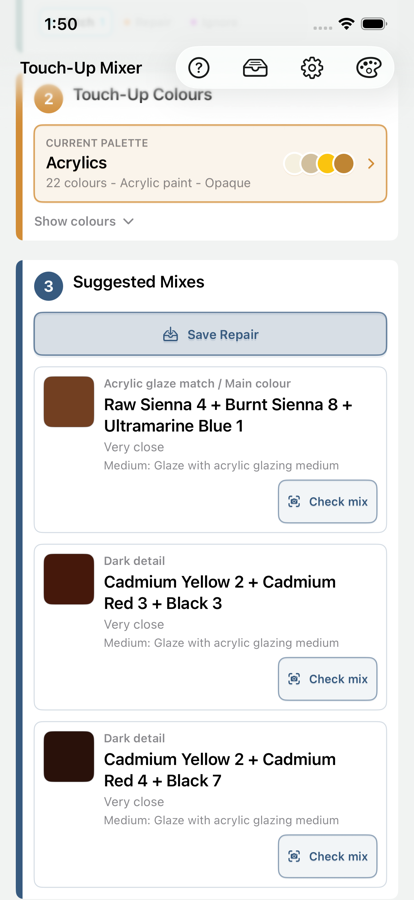
5. Test and adjust under the repair lighting
Mix a small test, apply it in a discreet area or on a suitable sample, and look at it where the repair will be seen. Recheck once the material behaves as it will in use. The final judgement belongs with the real surface, real material, and real light.
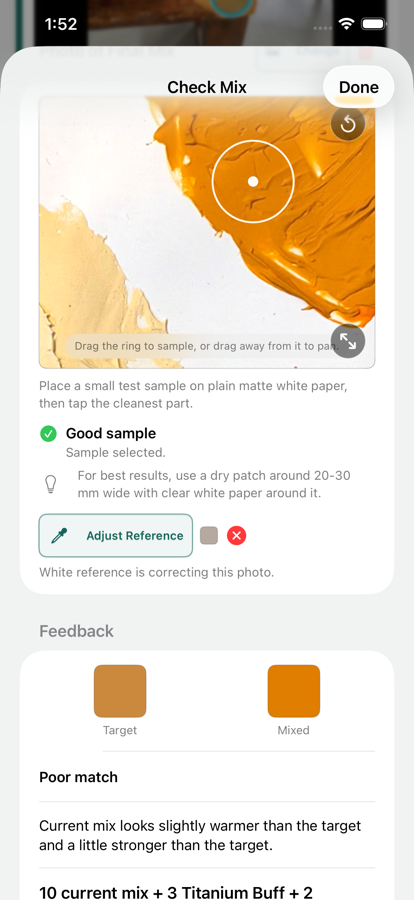
6. Save the useful details for next time
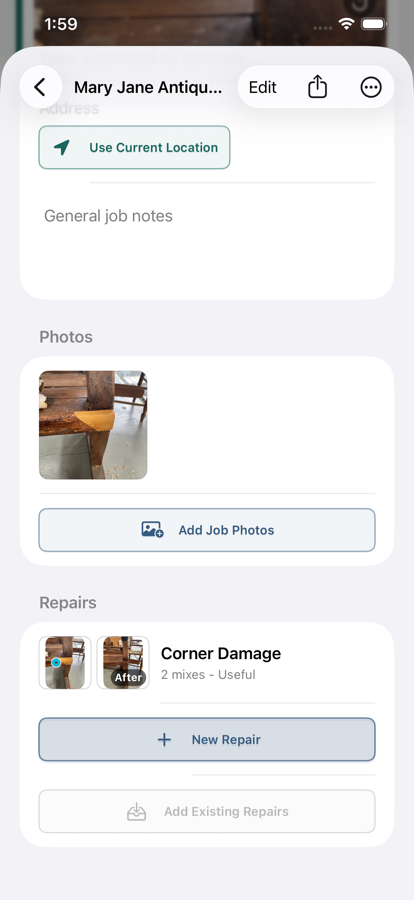
Save the Repair when you have a result worth returning to. Keeping the photo, palette choice, suggested mixes, notes, and follow-up details together can make later work more repeatable without relying on memory alone.
Put the workflow to work
Turn a photo and your own materials into a better starting mix.
Sample from a photo, work from your own materials, test the real mix, and keep the result as a saved Repair on your iPhone.
Explore Touch-Up Mixer Read Touch-Up Mixer supportCommon questions
Paint colour matching from a photo FAQ
How can Touch-Up Mixer help me get closer to a repair colour?
It helps you sample the surrounding finish, work from your own palette, and choose a sensible starting mix to test. Make the final adjustment on the real surface under its actual lighting.
Can I use my own repair materials?
Yes. Build palettes from the colours and media on your bench so suggestions reflect the materials you can actually mix.
Are photos or saved repairs uploaded?
No. Photos, palettes, Repairs, Jobs, addresses, and notes remain on your device unless you choose to share an export.